Free up C:without the fear.
FreeC shows what fills your C: drive and wins the space back from caches, app data and forgotten files — without ever touching your projects or personal files.
Free · Windows 10 & 11 · No admin rights needed · 13.5 MB
Knows where these hide your space
Everything that eats C:, in one calm place.
Scan once, then clean what you choose. Nothing is removed until you confirm.
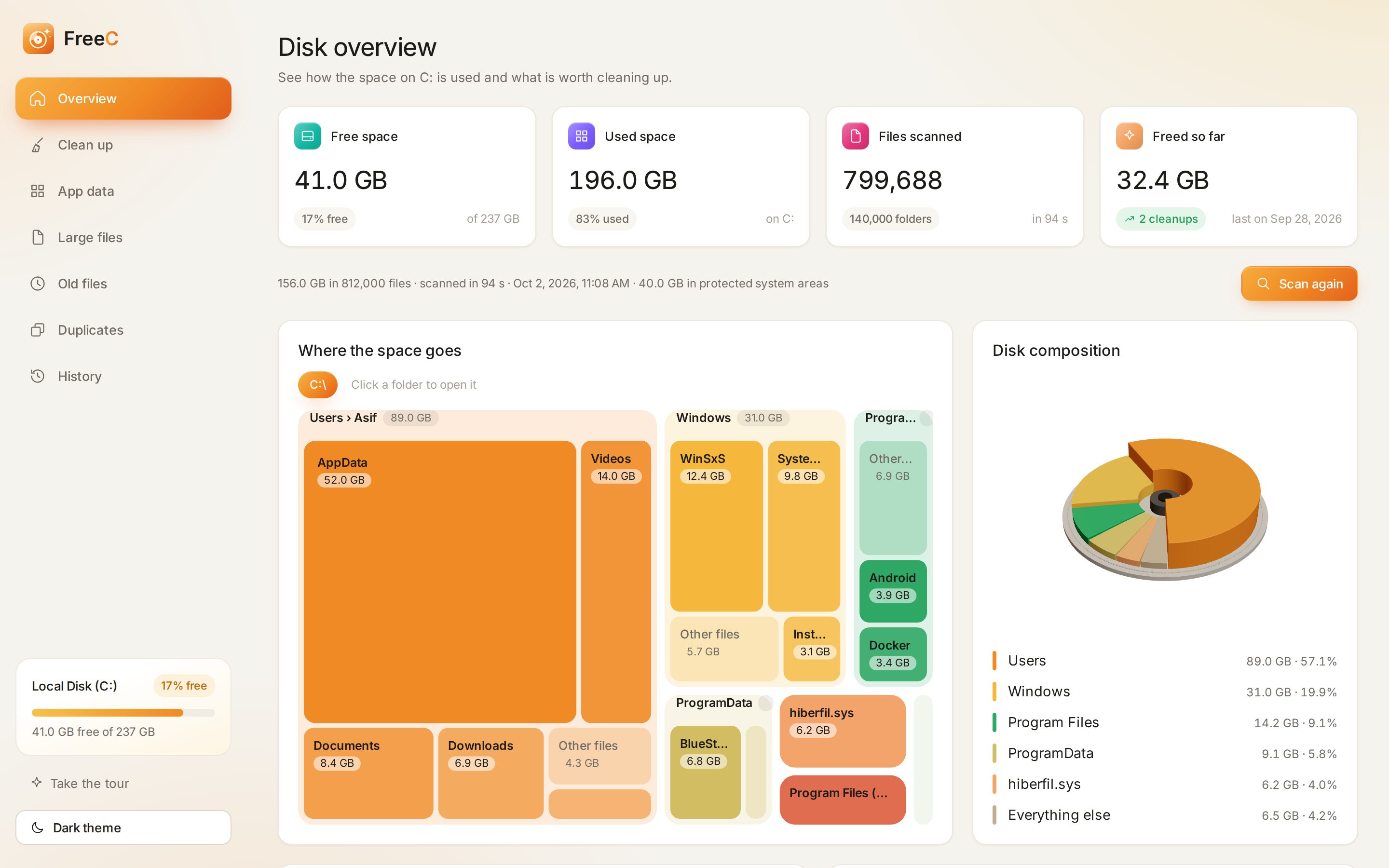
See where the space goes
A live scan of C: draws every folder as a tile. Click to dive in, and spot the 50 GB folder you forgot about.
Clean up junk
Temp folders, crash dumps, shader and package caches — 30+ rules, each marked Safe or Review.
- User Temp
- npm cache
- DirectX shader cache
- Windows error reports
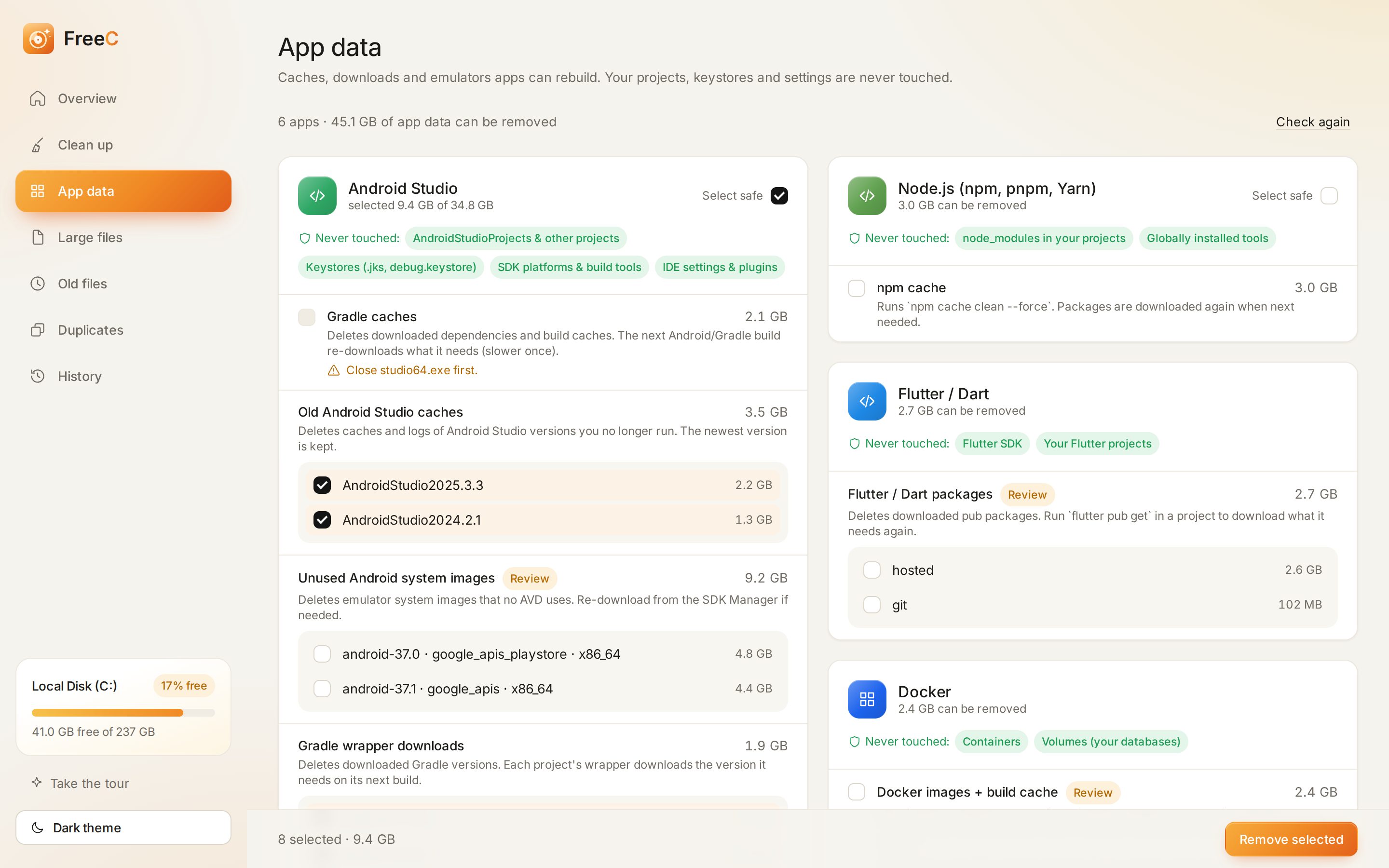
App data, item by item
Gradle caches, old Android Studio versions, unused emulator images, pub, pip and Maven caches, browser caches. Pick exactly what goes — each app lists what it will never touch.
Large files
The biggest files on C:, filtered by size, type and age.
Old files
Downloads and installers nobody has opened in months.
Duplicates
True copies, matched byte by byte. One is always kept.
History
Every clean up, and how much space it gave back.
Built to be careful.
Most cleaners ask you to trust them. FreeC has a safety layer that every delete goes through — and it says no a lot.
Three steps. A few gigabytes back.
Install
Run the setup. It installs just for you — no admin prompt — and adds a Start menu shortcut.
Scan C:
Watch the scan live, then explore the treemap to see which folders are heavy.
Pick & free
Choose what goes. Caches are removed, personal files go to the Recycle Bin.
Questions, answered.
The installer isn't code-signed yet, so SmartScreen doesn't recognise it. Click More info → Run anyway. Every build is installed, opened and uninstalled automatically on a clean Windows machine before it reaches this site.

Get your space back.
Free for Windows 10 and 11. Installs in seconds, no admin rights needed.
Download FreeC